HappinessMP Update 3.2

Hey everyone!
This update is a bit different from the usual ones. Instead of new natives or game fixes, we spent the last weeks on everything around the game: how you find a server, how server owners present theirs, our website, Discord and the rules we all play by. Players need client version 3.2, server owners need server version 2.6.
Here is what's new:
🗂️ A Brand-New Server List
The server list in the launcher got a complete makeover. You now see at a glance what a server is about: how many people are playing, which game modes it offers and which languages are spoken there.
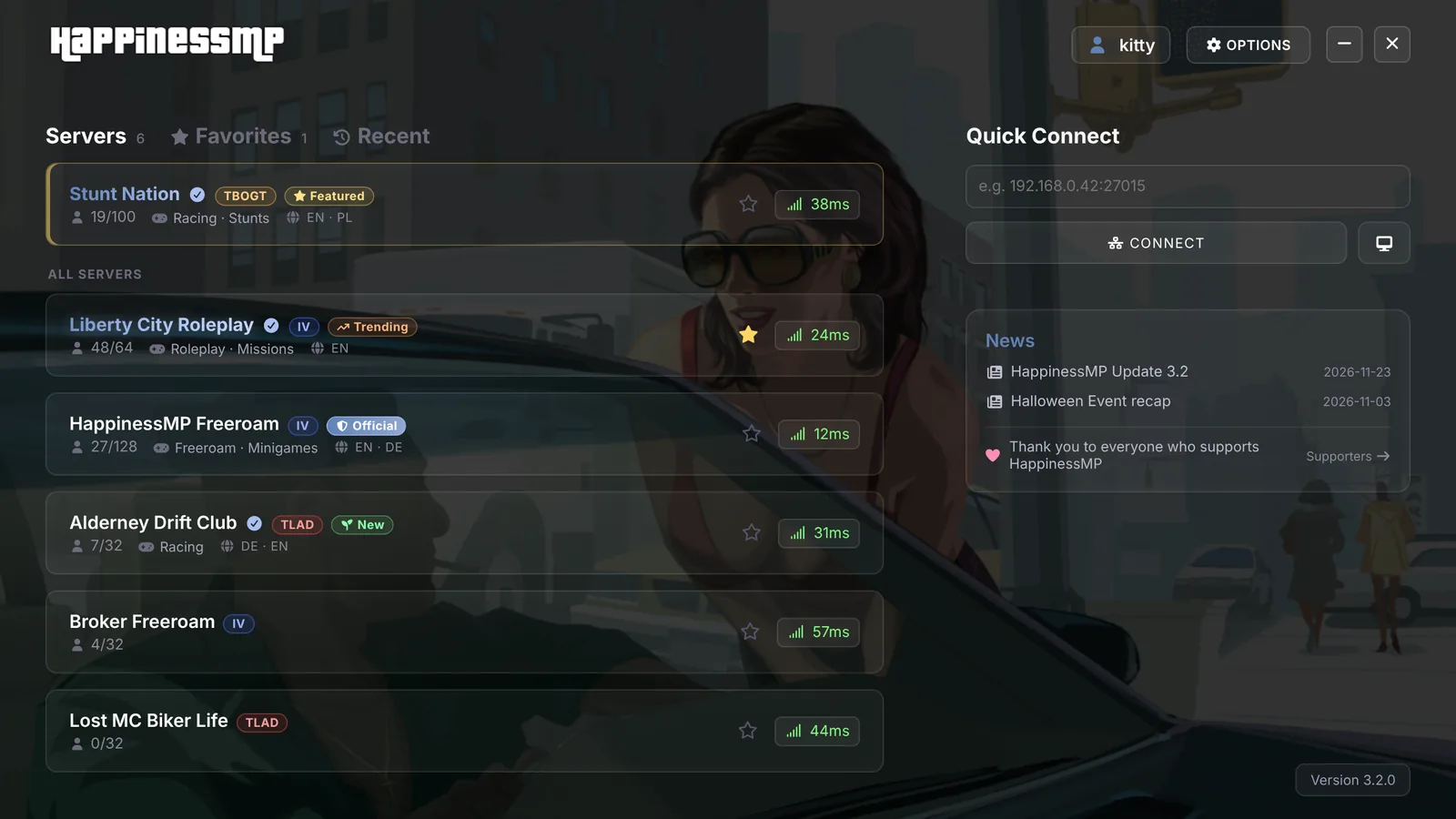
- Favorites and Recent: Click the star to keep a server under Favorites. The servers you played on last are waiting under Recent.
- Check marks: A blue check mark means the server is registered with us by its owner (more on that below).
- Highlights: Our own servers are marked Official. A few servers we pick are Featured at the top. Servers that are much busier than usual show up as Trending, and new ones as New.
- No more hidden servers: Servers that don't answer your ping stay visible instead of silently disappearing.
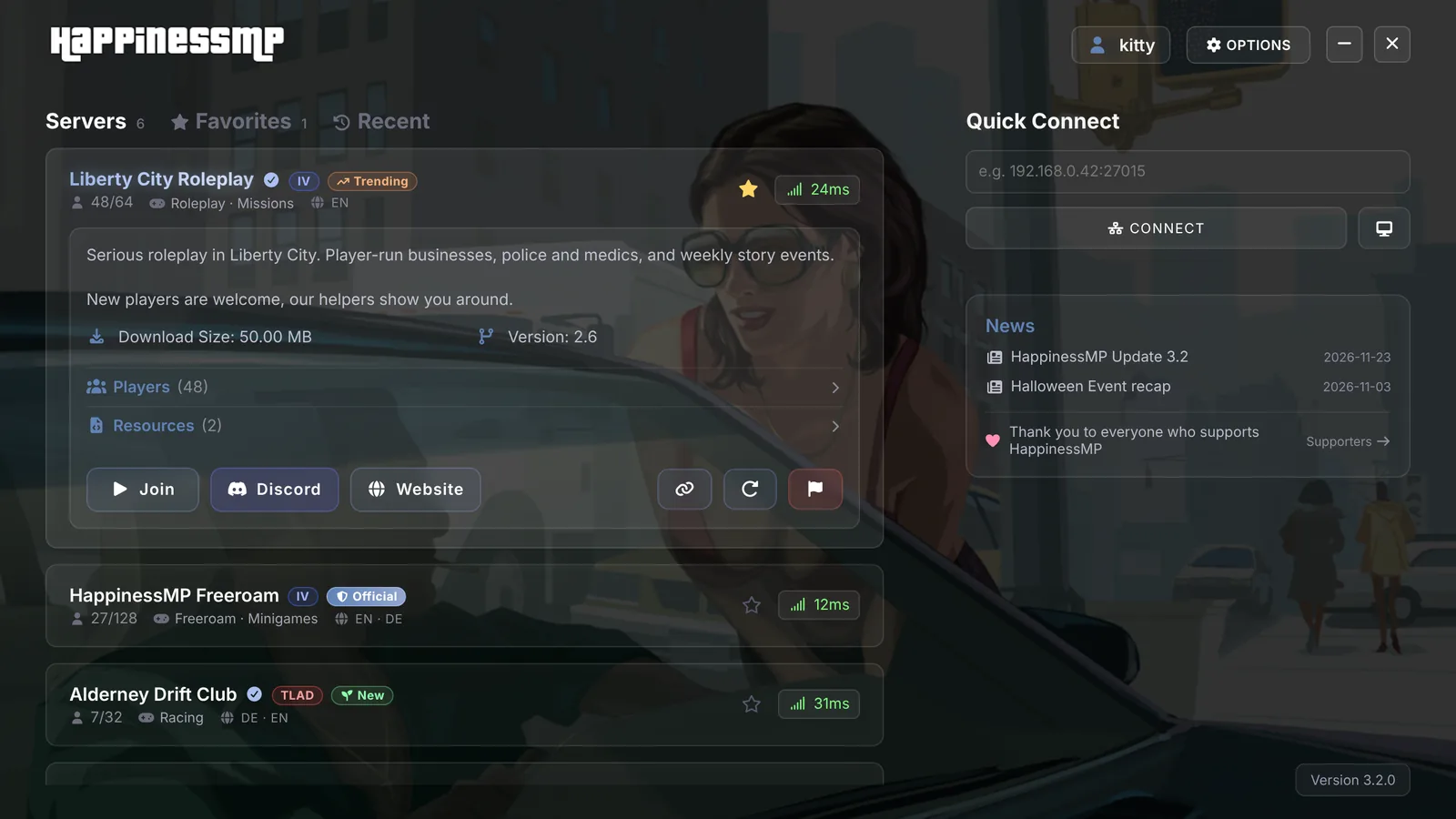
Click a server to read its description, see who is playing, visit its Discord or website, or copy its join link to send to a friend. And if something about a server isn't right, the flag button takes you straight to our Discord to report it.
🌐 A New Website
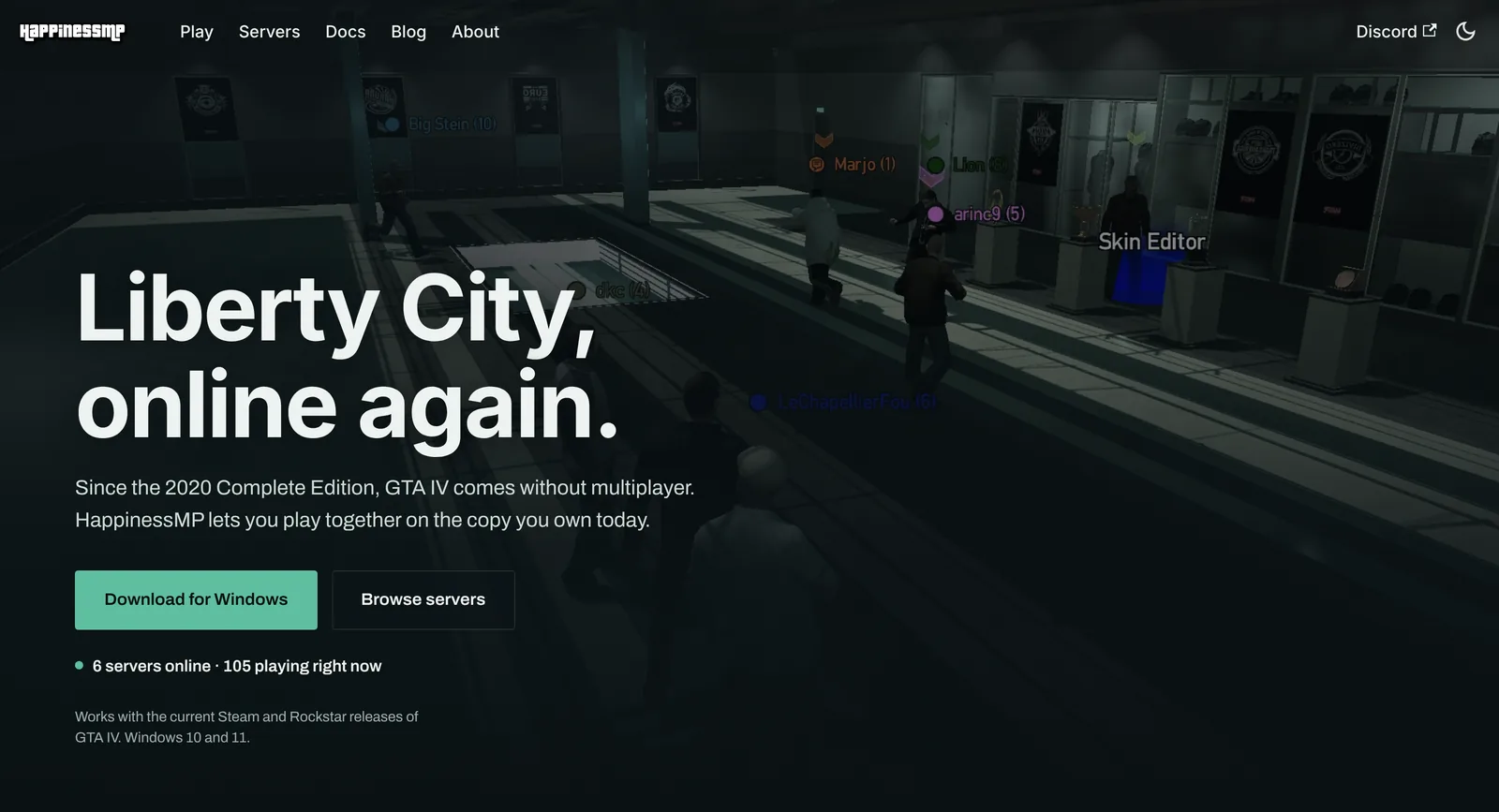
happinessmp.net has been rebuilt from the ground up. The front page now shows how many people are playing right now and the busiest servers, so you can jump in with one click.
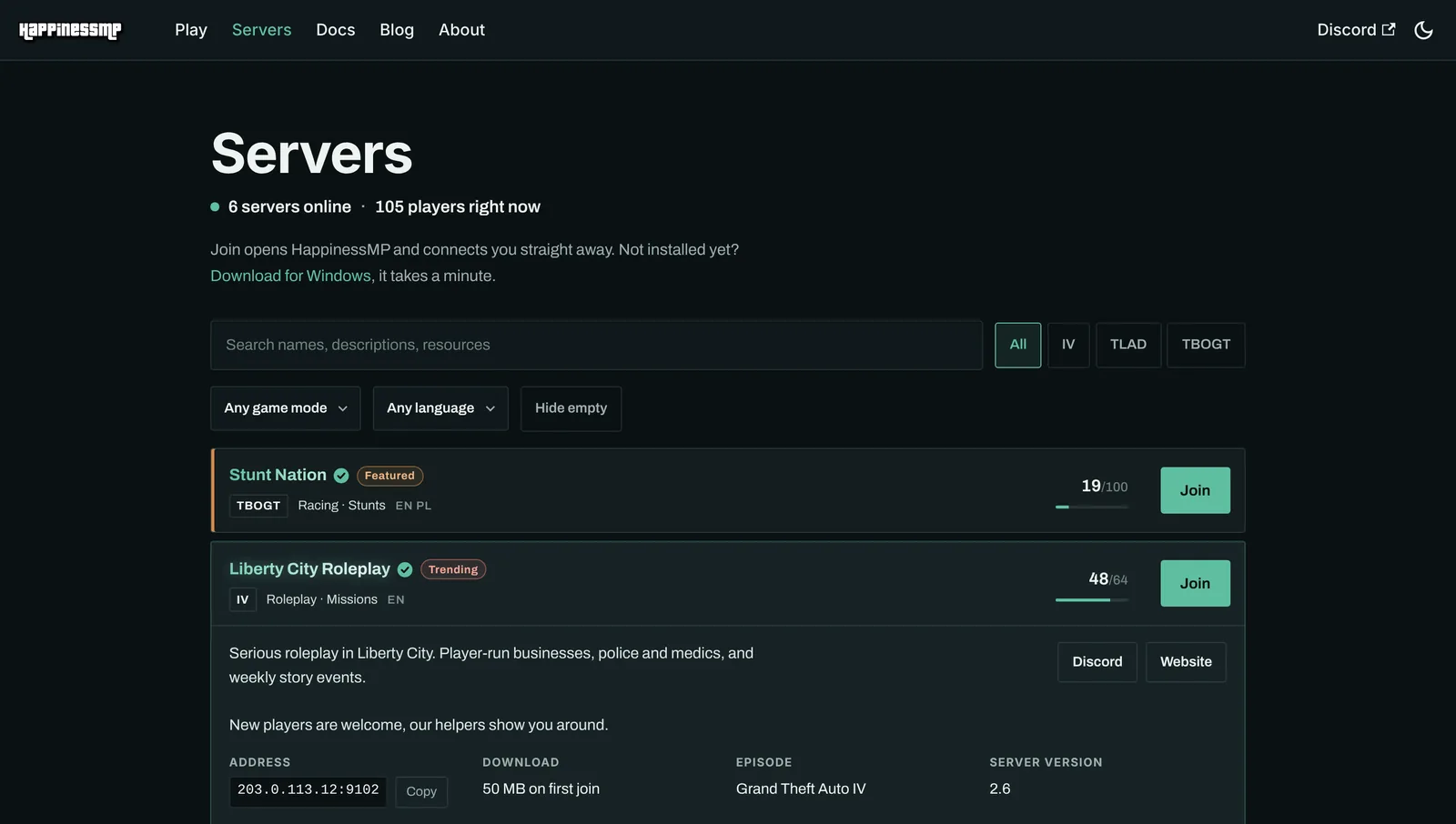
- Servers: The full server list, live in your browser, with search and filters for game mode and language.
- Much faster: The front page used to load almost 15 MB. Now it's about 1 MB.
- Search: You can now search the docs and the blog.
- Easier to get started: The guide to run your own server has been rewritten as a few simple steps.
🔗 Join Links
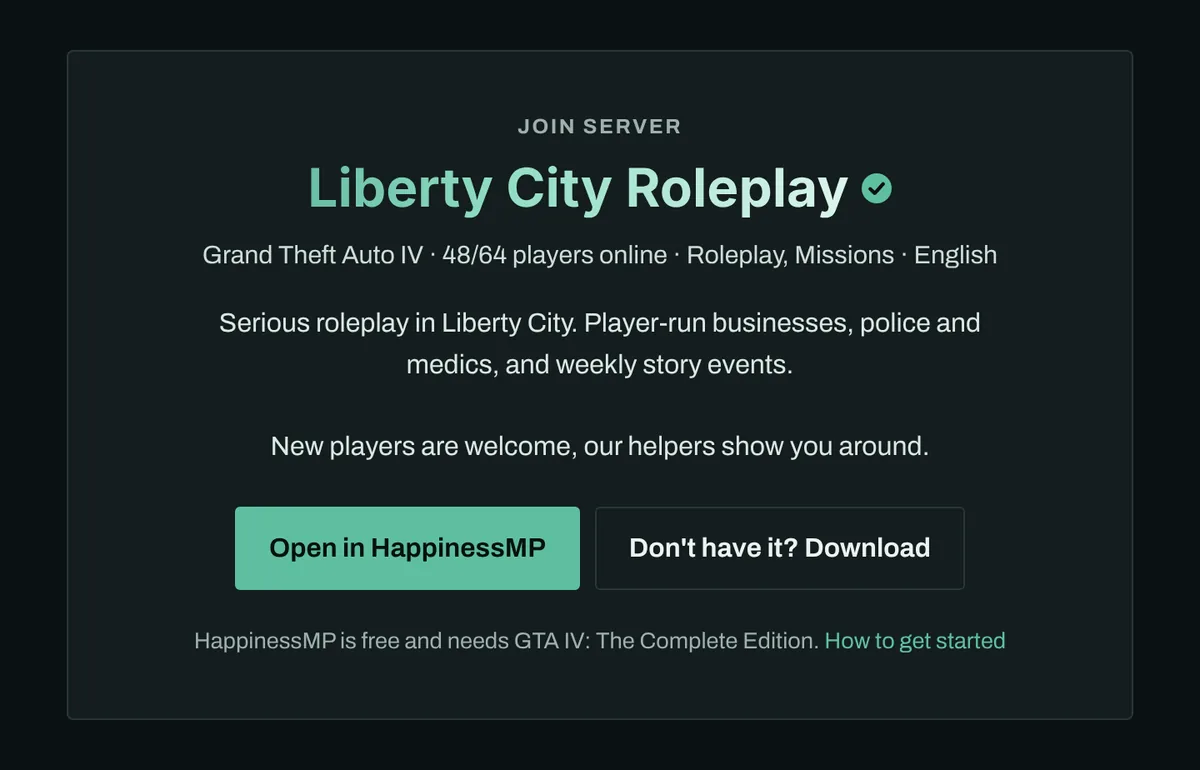
Every registered server now has its own link, like happinessmp.net/join/yourserver. Share it on Discord, social media or your website. Whoever clicks it sees your server and can open HappinessMP and join with one click, or download it first if they don't have it yet. Moved your server to a different machine? The link keeps working.
✅ For Server Owners: The Server Portal
Server owners can now sign in to the server portal with their Discord account. There you register your server and get a listing key for it. Put it into your settings.xml, and your server gets its check mark. In the portal you can also:
- write a short description and pick game modes and languages,
- copy your server's join link,
- see whether your server is on the list right now and why not, if it isn't.
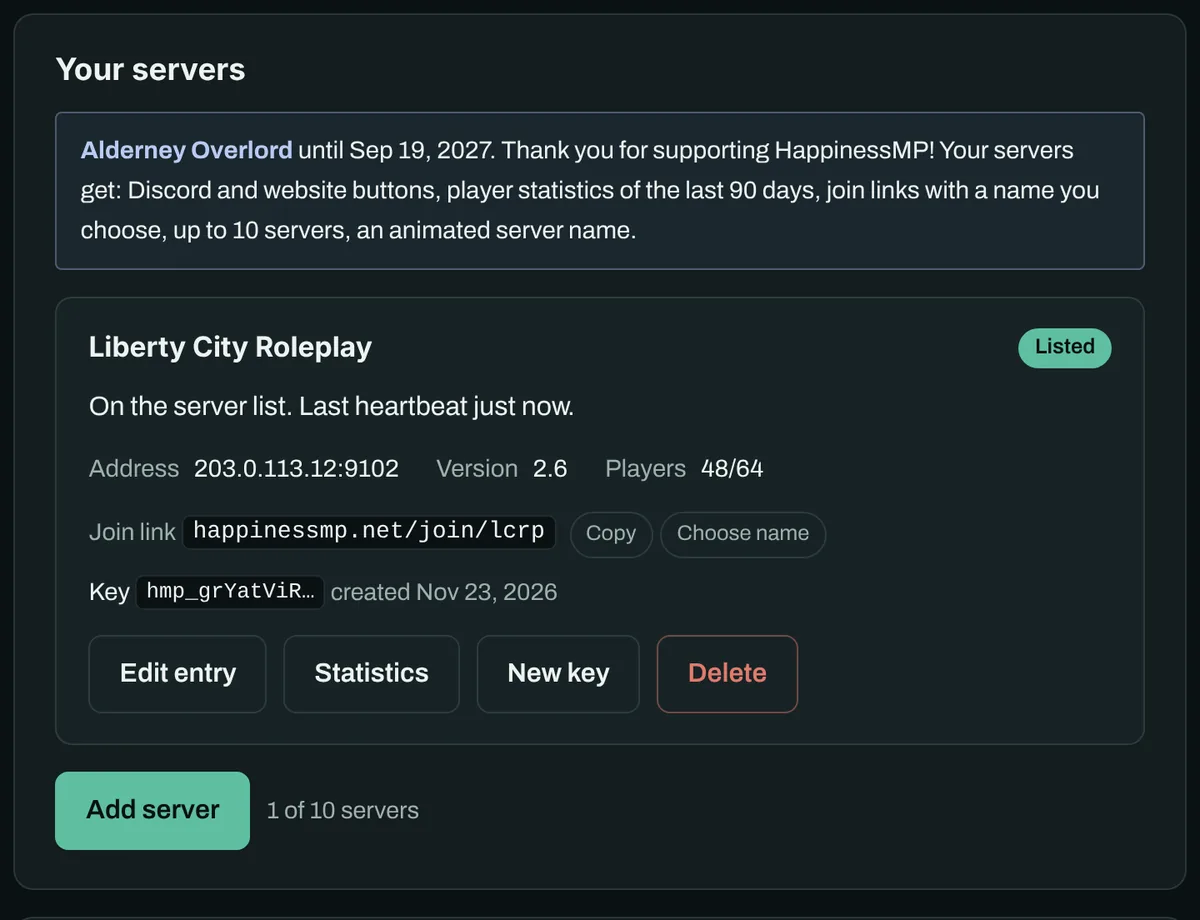
Setting it up takes about a minute: see Get a check mark. Everything else is explained on Server Portal.
🤔 Why Listing Keys?
From 1 January 2027, only servers with a listing key appear on the public server list. We know this is one more step for server owners, so here is why we think it's worth it:
- You know who you're joining. Until now, anyone could put any server on the list under any name, even one pretending to be another server or HappinessMP itself. With keys, every listed server belongs to a real person we can reach.
- Fair moderation. If a server broke the rules, all we could do so far was block its IP address, and the owner could simply come back from a new one. Now we can act on exactly the server in question, and talk to its owner first.
- Your listing moves with you. Change hosts or IP addresses, and your check mark, description and join link come along.
- It's free and quick. No application, no approval, no waiting. You only need a Discord account, and we only store what's listed on Your Data.
- Nothing changes for private play. Servers without a key keep working as always. You can still join them with Quick Connect, for example to test your scripts or play with friends. The key is only needed to show up on the public list.
Until 1 January, servers on version 2.6 remind you in the console if a key is missing. Servers older than 2.6 can't send a key, so they will drop off the list on that date. If you run a public server, please update and grab your key in time.
📣 Live Server Status on Discord
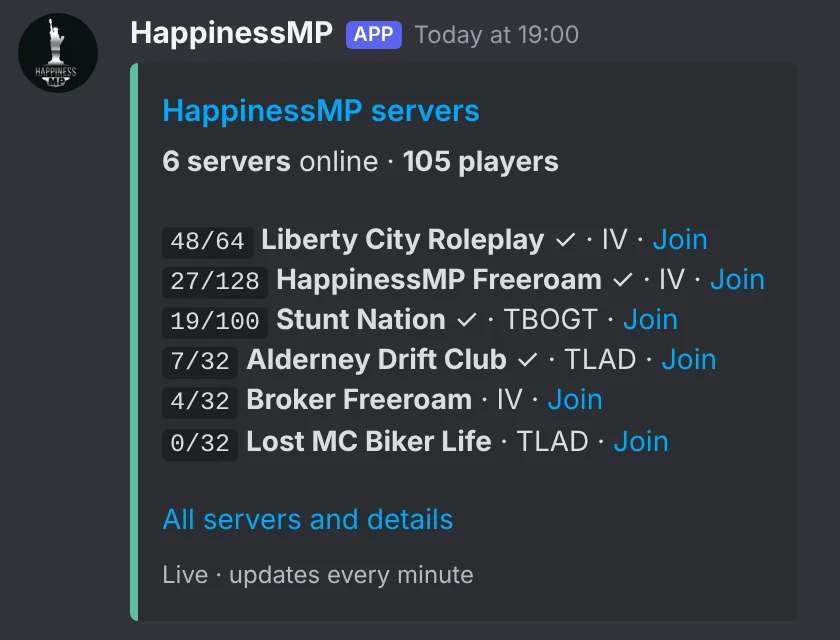
Our Discord now has a channel that always shows which servers are online and how many people are playing, updated every minute. When a server starts filling up, we let everyone know in the main chat, so you never miss the fun.
❤️ Thank You, Supporters
HappinessMP is free and always will be. Everyone who supports us on Ko-fi is now thanked by name on our new Supporters page. You can find the same thank-you in the launcher's news box. If you'd rather not be named on the website, just react with 🙈 to the pinned message in #thank-you.
Server owners who support us get a few extras for their servers: Discord and website buttons, more servers per account, player statistics, a join link name of their choice and, for the top tiers, an animated server name. Supporting never buys a better spot on the list. The order stays the same for everyone.
📜 Updated Rules and More Transparency
We have rewritten our Terms of Service, Server Operator Policy and Community Guidelines to be clearer and to cover the new server portal. The most important points:
- Selling on servers: Servers may sell things they created themselves, like VIP ranks, perks, cosmetics or in-game money. Gambling or loot boxes for real money, paid access to the server and selling anything made by Rockstar are not allowed. Playing must always stay free.
- Honest server names: No links, Discord invites or ads in server names. Use the fields in the portal for that.
- Fair changes: If the rules change, we announce it beforehand.
There's also a new page, Your Data. It explains in plain words what we store, why and for how long. In short: we store as little as possible. Our web server keeps no access logs, and your account can be deleted by yourself at any time.
🔧 Under the Hood
Website, server list, portal and Discord bot now run on a new, sturdier foundation that we built for the years to come. Everything is backed up every night, encrypted and off-site. Server owners will notice that their server now finds the server list over IPv4 and IPv6, switches between the two by itself if one of them doesn't work, and simply keeps trying when the list can't be reached.
📥 How to Update
The launcher updates itself the next time you start it. Server owners can download server version 2.6 here and then get their check mark.
📋 Full Changelog
- launcher: new server list
- launcher: show servers that do not respond instead of hiding them
- launcher: show servers that only use IPv6
- launcher: check marks, descriptions, game modes and languages of verified servers
- launcher: highlight official, featured, trending and new servers
- launcher: add favorites and recently played tabs
- launcher: copy a server's join link
- launcher: discord and website buttons for servers of supporters
- launcher: refresh and report buttons in the server details
- launcher: thank our supporters in the news box
- server: new server list with IPv4 and IPv6 support
- server: switch between IPv4 and IPv6 automatically when the server list is not reachable
- server: keep retrying when the server list is not reachable
- server: new setting listingkey for the check mark on the server list
- server: clearer server list messages in the server log
Have a nice day. See you next time!